Employee Assistance Program (EAP) Account Registration Help
To access the University of Kansas EAP portal, you’ll need to create an account. The steps below walk you through ComPsych’s registration process. Start by going to GuidanceResources.com (opens in a new window) (opens in a new window).

On the ComPsych login screen, select Register to begin creating your account.

In the Organization Web ID field, type SOKEAP, then click Register.
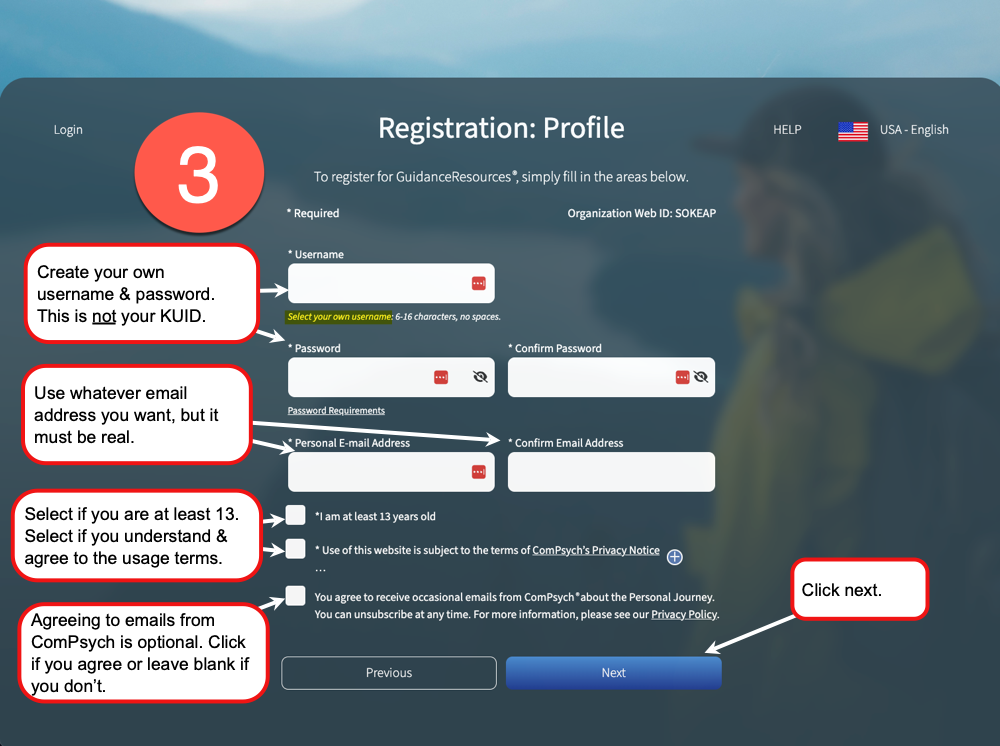
Create your own username and password (this is not your KUID), enter a real email address (whatever address you want), complete the required checkboxes, then click Next.

Enter your name, State of Kansas Employee ID (11 digits), and date of birth, then click Submit.
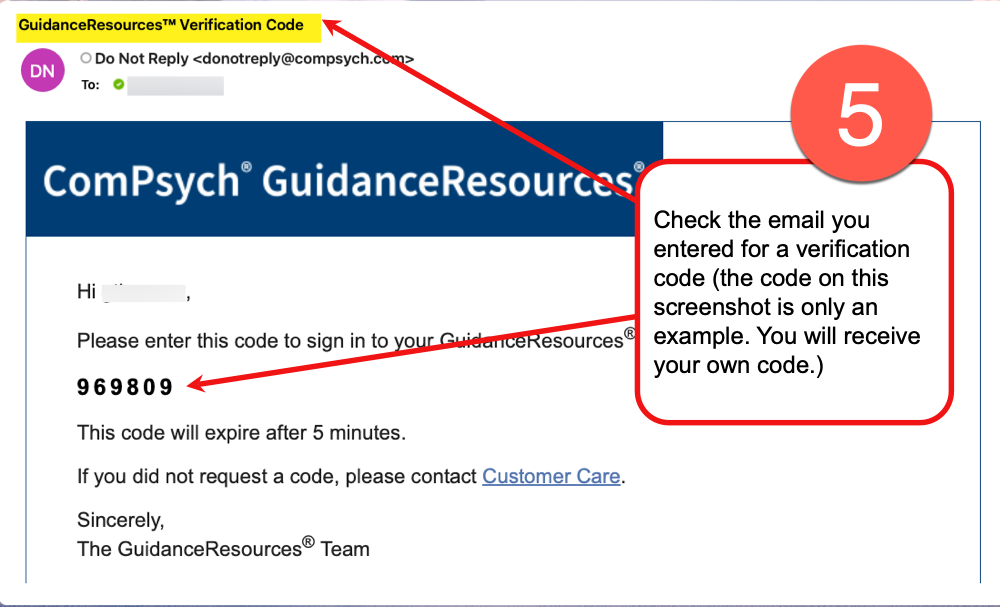
Check the email you entered for a verification code (the code shown here is an example). Enter your code to continue.

Enter the verification code from your email, then click Submit. (The code shown here is an example—you’ll enter the code you received.)

You’re in! Click Let’s go! to continue.
Screens may change slightly as ComPsych updates their system. If you notice something that no longer matches these steps, please let us know by emailing wellness@ku.edu.
Get help now

To get help right away, select Connect Me Now to see available ways to connect, including talking or chatting with an expert. Available options, like video calls, may vary by time of day.
These steps are for first‑time registration. After your account is created, you’ll sign in directly through GuidanceResources.com.